
Showing posts with label tethering. Show all posts

Tethering on Windows Mobile

Tuesday, November 17, 2009


Have you been using your Windows Mobile smartphone to tether? If you have a custom ROM or if you install a particular patch, then you can tether very easily by using the features built into the "Internet Sharing" app. However, some may also try PdaNet or some other 3rd party apps to tether. The official way to tether if you're on Verizon Wireless is to use their desktop app for Mobile Broadband Connect. Get ready to pay some extra tethering fees if you plan to tether.

The Droids have arrived

Friday, November 6, 2009

The Motorola Droid and the HTC Droid Eris (Hero) are now available on Verizon Wireless. Be advised that tethering fees will be higher on these devices (I really don't understand that), so you may be tempted to use things like PdaNet or flash a custom ROM.

Tethering on a $30 Verizon e-mail and web smartphone data plan

Thursday, August 27, 2009

If you're on Verizon Wireless and you'd like to tether using your smartphone, then you have to be on a data plan (or Mobile Broadband plan) that costs approximately $49.99 plus you have to pay a $15 tethering fee. Your monthly costs are $65.

On the other hand, Verizon offers a $30 data plan (called "e-mail and web for smartphone"), but you're not technically allowed to tether on this plan. So, is it possible to tether if you're on the $30 plan?

I only know of two ways this can be done:
  1. Use PdaNet (must run on your smartphone and your PC)
  2. Load a custom ROM that allows you to tether without the need for any special software
The proper way to tether on Verizon is to pay $65 each month and use VZAccess Manager (found at http://www.vzam.net).

Testing the XV6900

Tuesday, August 11, 2009

Yes, I'm now testing the XV6900 (HTC Vogue). I was able to flash a custom radio ROM and a custom Windows Mobile 6.5 ROM. However, I'm having a few issues:
  • the built-in GPS isn't working very well (difficult to get a lock, so I must not be getting any network assistance)
  • the Internet Sharing (for tethering) isn't working (the "connect" option is grayed out)
Will continue to perform a few additional tests...

Tethering on Verizon Wireless

Friday, June 19, 2009

Read my post here: Tethering on Verizon Wireless

Tethering

Thursday, May 21, 2009

If you use Verizon Wireless, you need VZAccess Manager to tether your smartphone to your laptop/notebook/ultra-mobile PC. Where do you go to download VZAccess Manager? You can find it here: http://www.vzam.net

Verizon used to call tethering "BroadbandAccess Connect." That phrase confused me. Now, it looks like they're using the phrase "Mobile Broadband Connect." That sounds better, but why don't they just call it what it is? Tethering. Plain and simple.

Read more here: Tethering on Verizon Wireless

Tethering Speeds on EV-DO

Monday, April 20, 2009


AT&T is advertising that they currently have the fastest 3G network in the United States. How does Verizon Wireless currently compare?

I'm still getting good speed while tethering with my XV6800.

Windows Mobile 6.1 and Internet Sharing

Saturday, August 9, 2008

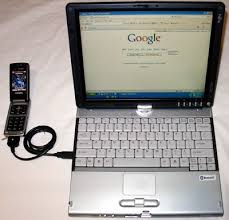
One of the best features of Windows Mobile 6.1 is the "Internet Sharing" capability. This turns your smartphone/pocket PC into a wireless modem for your laptop/notebook/tablet/UMPC. No need for a separate wireless card.

It's so great to stay connected so easily. You can connect via Bluetooth or through a USB connection. Some call this tethering, but Windows Mobile calls it Internet Sharing.

Make sure to keep a spare battery handy. Or, use the USB connection to keep your phone charged up.